Maven私库搭建

概述

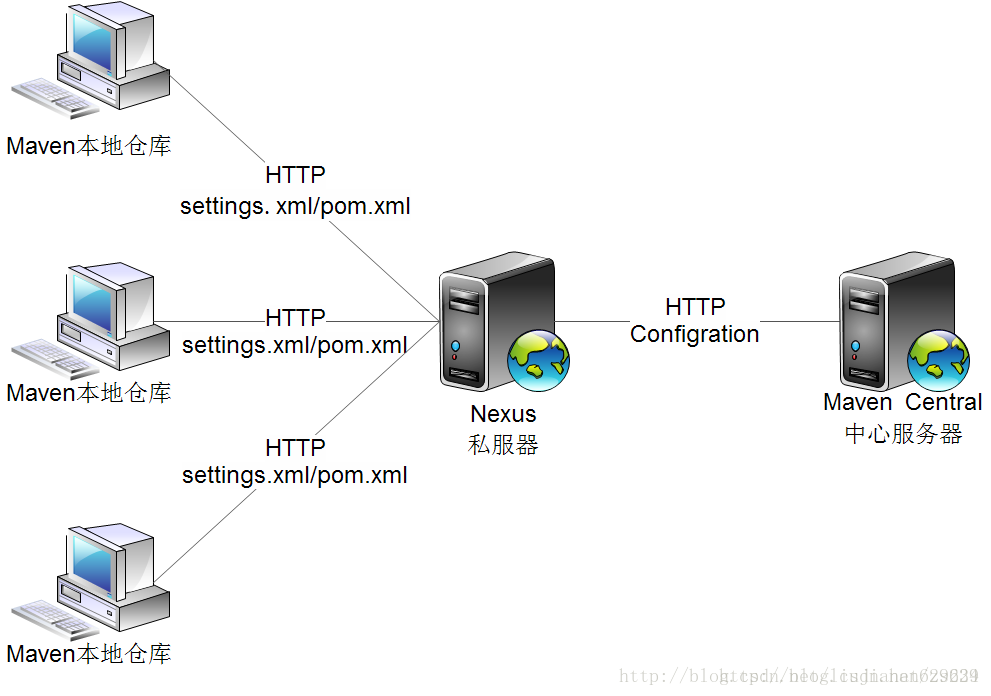
当我们参与多人开发时,为提高效率,一般会创建一个私库,以方便依赖包的获取。当项目组中的某员工在pom.xml文件中添加了某依赖的配置时,往往会访问默认或已配置的远程中央仓库获取相关依赖。然而有时候公共仓库不是那么稳定且下载速度很慢,这时创建一个私有仓库就极大缩减了依赖包的拉取时间。

  1. 当A员工需要某依赖时,会先访问私库
  2. 私库没有依赖是则会访问配置的公共仓库
  3. 公共仓库也没有时则会打印报错到控制台

搭建

  • 搭建nuxus maven 私库前还需确保搭建好jdk和maven环境

解压安装jdk

  1. 找到要安装到的目录执行tar -zxvf jdk-8u91-linux-x64.tar.gz命令解压
  2. 配置环境变量
1
2
3
4
5
6
7
vim /etc/profile

添加如下内容:JAVA_HOME根据实际目录来
JAVA_HOME=/usr/java/jdk1.8.0_65
CLASSPATH=$JAVA_HOME/lib/
PATH=$PATH:$JAVA_HOME/bin
export PATH JAVA_HOME CLASSPATH

安装Maven

  1. 下载:到Maven官网下载安装文件,目前最新版本为3.3.9,下载文件为apache-maven-3.3.9-bin.tar.gz,下载可以使用wget命令;

  2. 进入下载文件夹,找到下载的文件,运行如下命令解压

    tar -xvf apache-maven-3.3.9-bin.tar.gz

  3. 配置环境变量l

1
2
3
4
5
6
MAVEN_HOME=/usr/local/src/maven/apache-maven-3.6.1
PATH=$PATH:$MAVEN_HOME/bin
export MAVEN_HOME PATH

运行以下命令使环境变量生效
source /etc/profile

安装Nexus Maven私库

下载

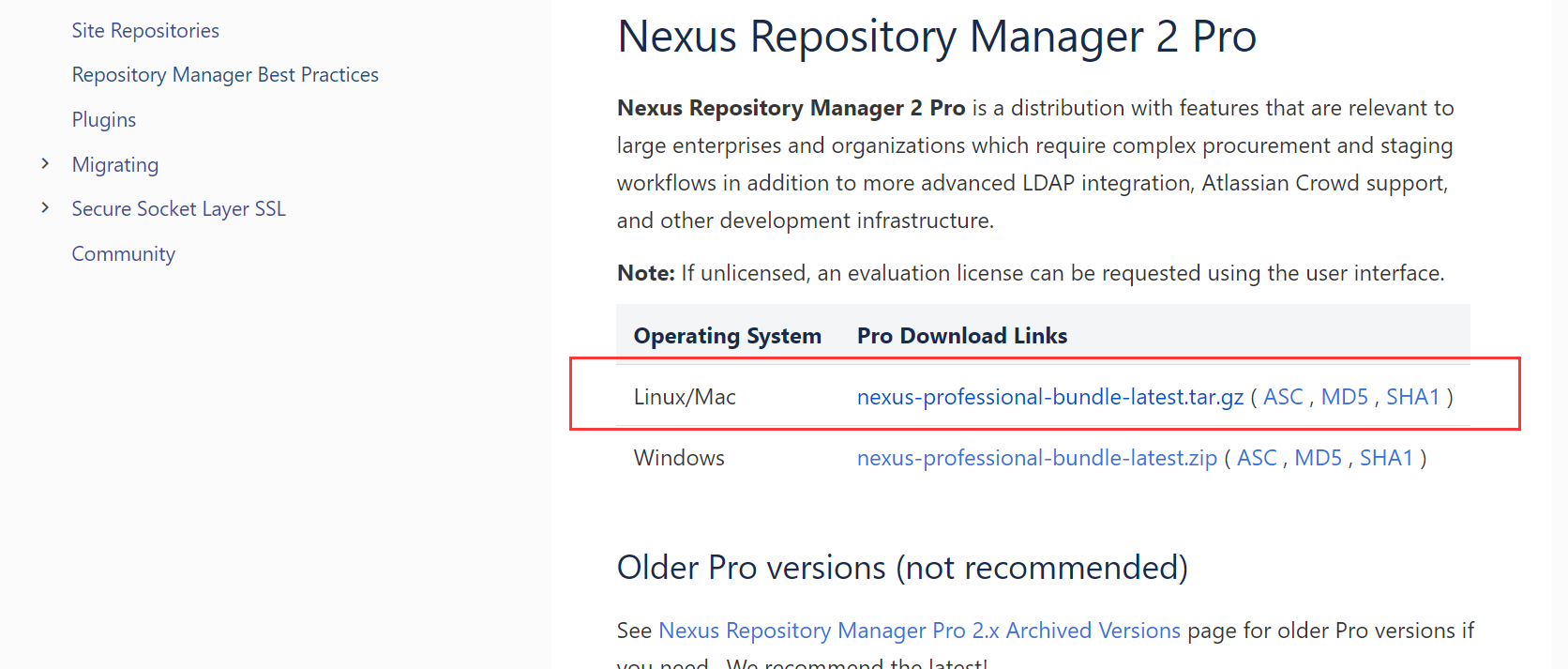
nexus maven官网地址下载

选择你想安装的操作系统版本即可安装

安装

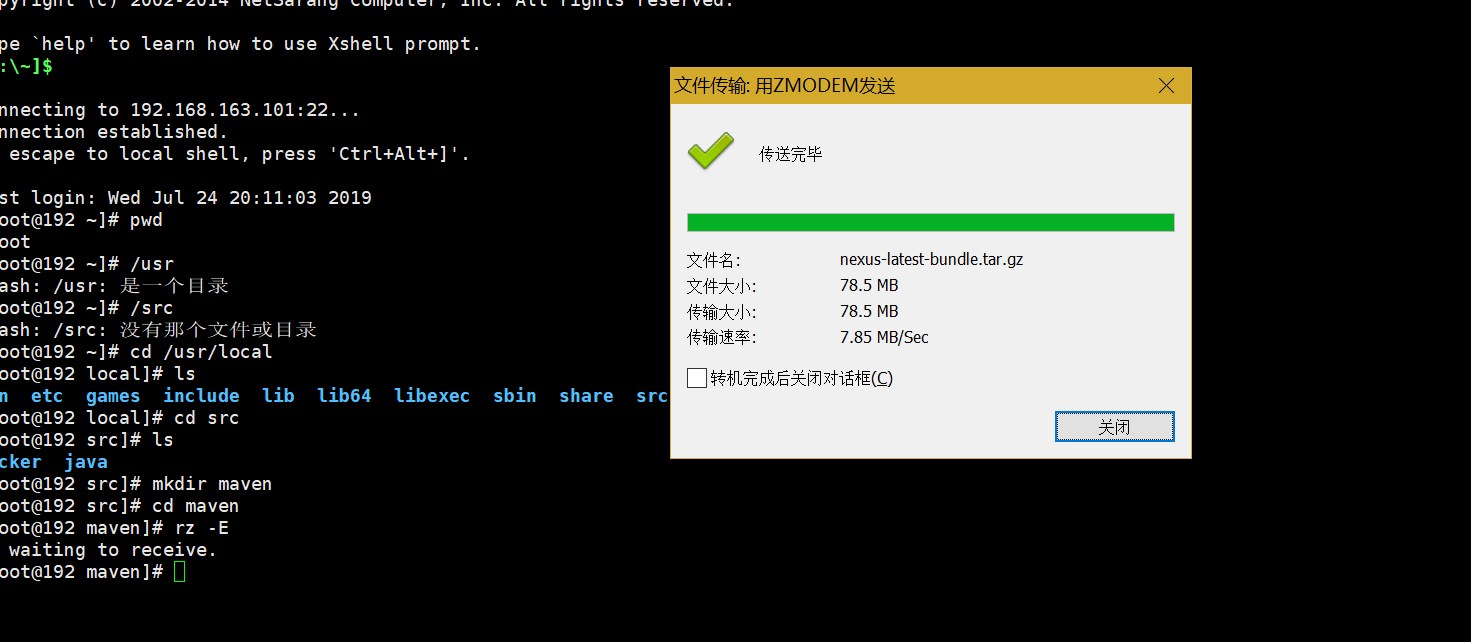
创建指定目录,传输文件

执行tar -zxvf 下载的tar包即可安装成功

启动

启动前可能还需要设置环境变量export RUN_AS_USER=root

1
2
3
4
5
6
//设置开机启动
sudo ln -s /usr/local/nexus/nexus-2.14.13-01/bin/nexus /etc/init.d/nexus
./nexus status/start/stop
//查看nexus服务状态、启动服务、停止服务等
chkconfig nexus on/off
//设置nexus服务开机自启动或者开机不启动

使用私库

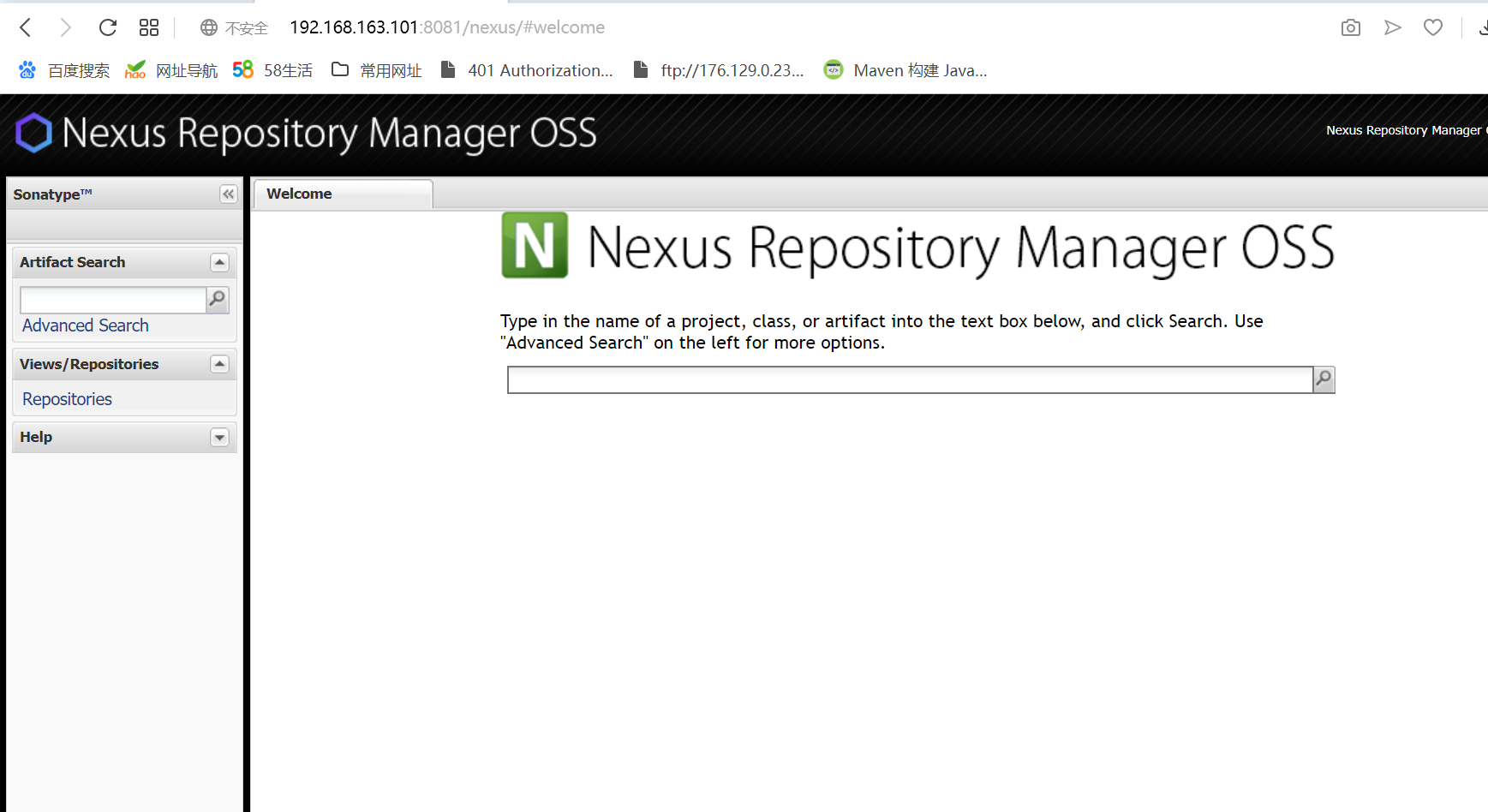
一般通过8081端口访问Maven私库

用户名密码为,admin和admin123

项目启动之初,就已经有了几个仓库和组,可以直接拿来使用

tips:

	1. nexus-2.14.13-01-bundle\nexus-2.14.2\conf\打开nexus.properties文件可以配置默认端口以解决端口占用的问题
		2. proxy是我们实际上用到的仓库,Maven中央仓库,阿里云仓库就是这个类型
  • 一些类型介绍
    1. hosted 类型的仓库,内部项目的发布仓库
    2. releases 内部的模块中release模块的发布仓库
    3. snapshots 发布内部的SNAPSHOT模块的仓库
    4. 3rd party 第三方依赖的仓库,这个数据通常是由内部人员自行下载之后发布上去
    5. proxy 类型的仓库,从远程中央仓库中寻找数据的仓库
    6. group 类型的仓库,组仓库用来方便我们开发人员进行设置的仓库

远程索引

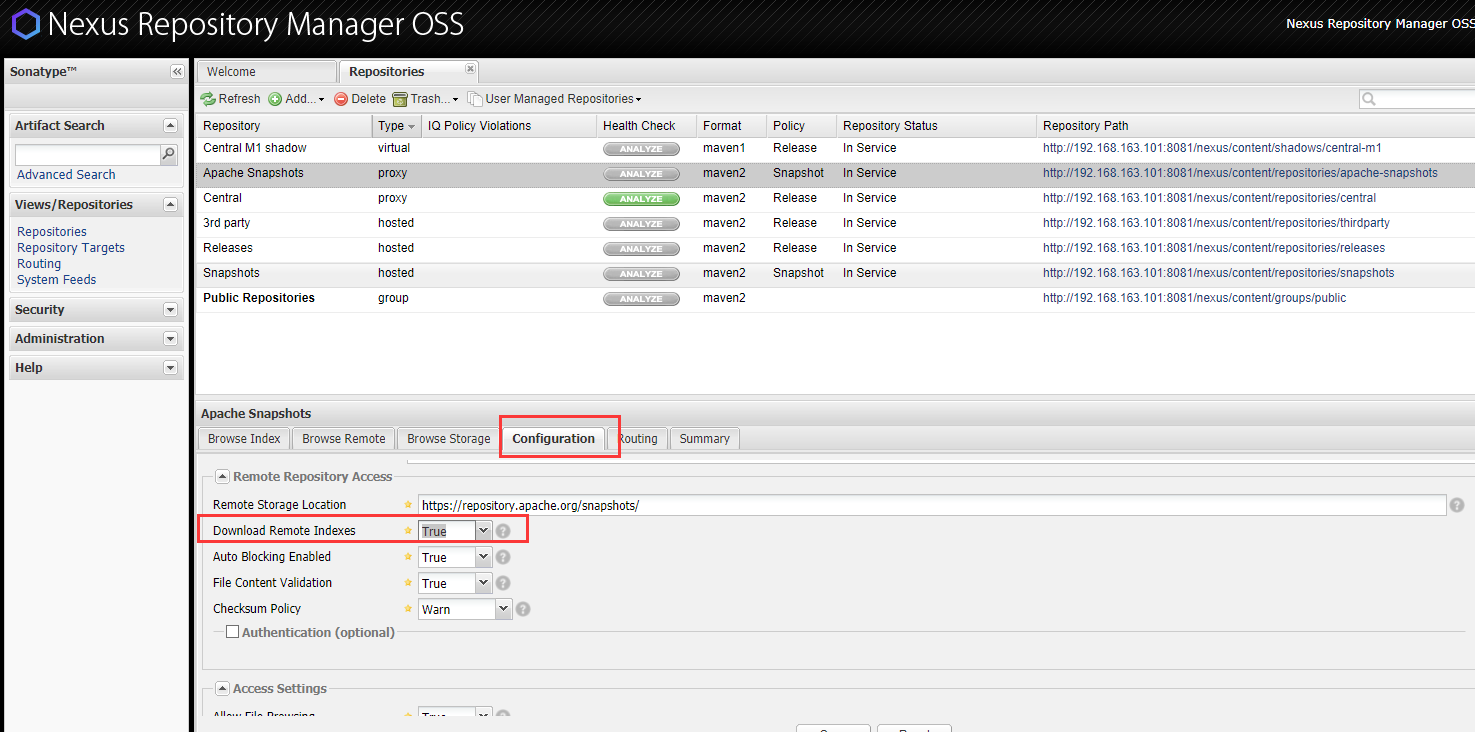
当前默认创建好的仓库均没有开启远程索引链接,我们还需要开启相关开关,这样才能在通过拉取依赖的同时,将依赖包缓存到这个项目上

具体操作时找到指定仓库,在configuration下降Download Remote Indexes的值设置为true,然后点击save;

选择指定仓库点击右键,选择Repari Index就可以去下载依赖了,此外,你还可以设置Remote Storage Location来控制具体要关联哪些仓库,因为直接从默认的中央仓库下载会很慢。推荐用阿里云地址http://maven.aliyun.com/nexus/content/groups/public/

其他应用

获取依赖包

当我们想从私库中获取依赖包时,直接配置pom.xml文件即可

1
2
3
4
5
6
7
8
9
10
11
12
13
14
15
16
17
18
19
<!--依赖包配置--> 
<repositories>
<repository>
<snapshots>
<enabled>true</enabled>
</snapshots>
<id>public</id>
<name>Public Repositories</name>
<url>http://192.168.163.101:8081/nexus/content/groups/public/</url>
</repository>
</repositories>
<!-- 依赖插件配置 -->
<pluginRepositories>
<pluginRepository>
<id>public</id>
<name>Public Repositories</name>
<url>http://192.168.163.101:8081/nexus/content/groups/public/</url>
</pluginRepository>
</pluginRepositories>

添加以上配置后,你的项目jar包会从url指定的私服服务器下载依赖,如果私服没有则会从私服对应的远程仓库中获取依赖。

然而,上述配置是在pom.xml文件中配置的,其他项目或其他人员需要从私服上下载jar包时,则还需要再次配置pom.xml,这显然会很麻烦,因此需要修改全局配置setting.xml。

1
2
3
4
5
6
7
8
9
10
11
12
13
14
15
16
17
18
19
20
21
22
23
24
25
26
27
28
29
30
31
32
33
34
35
36
37
38
39
40
41
42
43
44
45
46
47
48
49
50
51
52
53
54
55
56
57
58
59
60
61
62
63
64
65
66
67
68
69
70
71
72
73
74
75
76
77
78
79
80
81
82
83
84
85
86
87
88
89
90
91
92
93
94
95
96
97
98
99
100
101
102
103
104
105
106
107
108
109
110
111
112
113
114
115
116
117
118
119
120
121
122
123
124
125
126
127
128
129
130
131
132
133
134
135
136
137
138
139
140
141
142
143
144
145
146
147
148
149
<?xml version="1.0" encoding="UTF-8"?>

<settings xmlns="http://maven.apache.org/SETTINGS/1.0.0"
xmlns:xsi="http://www.w3.org/2001/XMLSchema-instance"
xsi:schemaLocation="http://maven.apache.org/SETTINGS/1.0.0 http://maven.apache.org/xsd/settings-1.0.0.xsd">
<!--设置本地仓库-->
<localRepository>${user.home}/.m2/repository</localRepository>
<!-- localRepository
| The path to the local repository maven will use to store artifacts.
|
| Default: ${user.home}/.m2/repository
<localRepository>/path/to/local/repo</localRepository>
-->

<!-- interactiveMode
| This will determine whether maven prompts you when it needs input. If set to false,
| maven will use a sensible default value, perhaps based on some other setting, for
| the parameter in question.
|
| Default: true
<interactiveMode>true</interactiveMode>
-->

<!-- offline
| Determines whether maven should attempt to connect to the network when executing a build.
| This will have an effect on artifact downloads, artifact deployment, and others.
|
| Default: false
<offline>false</offline>
-->

<!-- pluginGroups
| This is a list of additional group identifiers that will be searched when resolving plugins by their prefix, i.e.
| when invoking a command line like "mvn prefix:goal". Maven will automatically add the group identifiers
| "org.apache.maven.plugins" and "org.codehaus.mojo" if these are not already contained in the list.
|-->
<pluginGroups>
<!-- pluginGroup
| Specifies a further group identifier to use for plugin lookup.
<pluginGroup>com.your.plugins</pluginGroup>
-->
</pluginGroups>

<!-- proxies
| This is a list of proxies which can be used on this machine to connect to the network.
| Unless otherwise specified (by system property or command-line switch), the first proxy
| specification in this list marked as active will be used.
|-->
<proxies>
<!-- proxy
| Specification for one proxy, to be used in connecting to the network.
|
<proxy>
<id>optional</id>
<active>true</active>
<protocol>http</protocol>
<username>proxyuser</username>
<password>proxypass</password>
<host>proxy.host.net</host>
<port>80</port>
<nonProxyHosts>local.net|some.host.com</nonProxyHosts>
</proxy>
-->
</proxies>

<!--设置私库认证信息-->
<servers>
<server>
<id>nexus</id>
<username>admin</username>
<password>admin123</password>
</server>
<server>
<id>nexus-snapshot</id>
<username>admin</username>
<password>admin123</password>
</server>
</servers>

<!--设置私库mirror 表示maven所有的请求都由nexus来处理-->
<mirrors>
<!-- <mirror>
<id>ibiblio.org</id>
<name>ibiblio Mirror of http://repo1.maven.org/maven2/</name>
<url>http://mirrors.ibiblio.org/pub/mirrors/maven2</url>
<mirrorOf>central</mirrorOf>
</mirror> -->
<mirror>
<id>nexus</id>
<mirrorOf>*</mirrorOf>
<!-- <mirrorOf>central</mirrorOf> -->
<name>Nexus Mirror.</name>
<url>http://192.168.199.201:8081/nexus/content/groups/public</url>
</mirror>
</mirrors>

<!--设置maven私库信息-->
<profiles>
<profile>
<id>nexus</id>
<repositories>
<repository>
<id>nexus</id>
<name>Nexus</name>
<url>http://192.168.199.201:8081/nexus/content/groups/public/</url>
<releases><enabled>true</enabled></releases>
<snapshots><enabled>true</enabled></snapshots>
</repository>
</repositories>
<pluginRepositories>
<pluginRepository>
<id>nexus</id>
<name>Nexus</name>
<url>http://192.168.199.201:8081/nexus/content/groups/public/</url>
<releases><enabled>true</enabled></releases>
<snapshots><enabled>true</enabled></snapshots>
</pluginRepository>
</pluginRepositories>
</profile>

<!--覆盖maven中央仓库设置开启releases和snapshots版本的下载-->
<profile>
<id>central</id>
<repositories>
<repository>
<id>central</id>
<url>http://central</url>
<releases><enabled>true</enabled></releases>
<snapshots><enabled>true</enabled></snapshots>
</repository>
</repositories>
<pluginRepositories>
<pluginRepository>
<id>central</id>
<url>http://central</url>
<releases><enabled>true</enabled></releases>
<snapshots><enabled>true</enabled></snapshots>
</pluginRepository>
</pluginRepositories>
</profile>
</profiles>

<!--激活私库信息的配置-->
<activeProfiles>
<activeProfile>nexus</activeProfile>
<activeProfile>central</activeProfile>
</activeProfiles>
</settings>

之后所有本机的Maven项目就在私服下载组件,这是推荐的做法。(主要是通过mirror镜像来控制访问私服服务器,可先学习Maven镜像以便了解)


Maven私库搭建
https://andrewjiao.github.io/2019/08/08/Maven私库/
作者
Andrew_Jiao
发布于
2019年8月8日
许可协议